
- Group Products
- All Products
- 1 Product Per Company
- Supplier Country
-
- China (1)
- Search Options
- Show Premium Suppliers
- Subscription
- Trade Alert
Notify me of new wireless hsupa modem info. - RSS Feeds
- My Recent History


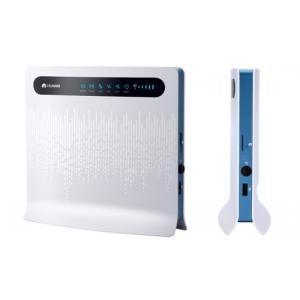
Place of origin:
China
modem LAN and USB ports. 4. Turn on your modem POWER button. CONNECTING PC TO THE MODEM WLAN CONNECTION 1. Turn on your modem POWER button. 2. Make an indicator that the WLAN is enabled. To activate the WLAN feature on and off by holding the WLAN button for more than 3 seconds. 3. Select your network from the list of wireless networks, the SSID name is the same as the name of your modem and press
[Related Keywords : Huawei router, Huawei modem, Huawei datacard, Huwei hotspot]
Business Type
Supplier
Location
Hunan, China
Employees Total
51 - 100
Annual Revenue
USD 500,001 - 1,000,000
Competitive wireless hsupa modem products from various wireless hsupa modem manufacturers and wireless hsupa modem suppliers are listed above, please select quality and cheap items for you.
Besides, we also provide you with related products such as hsupa wireless modem, 3g hsupa modem and hsupa modem for your choice.
 |
Recommended Content